

This iPhone Setting Stops Car Sickness
Turn this on before your next road trip — and hand the back seat their screens in peace. 🤢➡️😃

If reading your phone in a moving car makes your stomach do that slow Jell-O wobble, your iPhone has a fix built right in. Most people have never found it, because it’s buried deep in the accessibility menu. It’s called Vehicle Motion Cues, and it’s a brilliant little piece of genius.
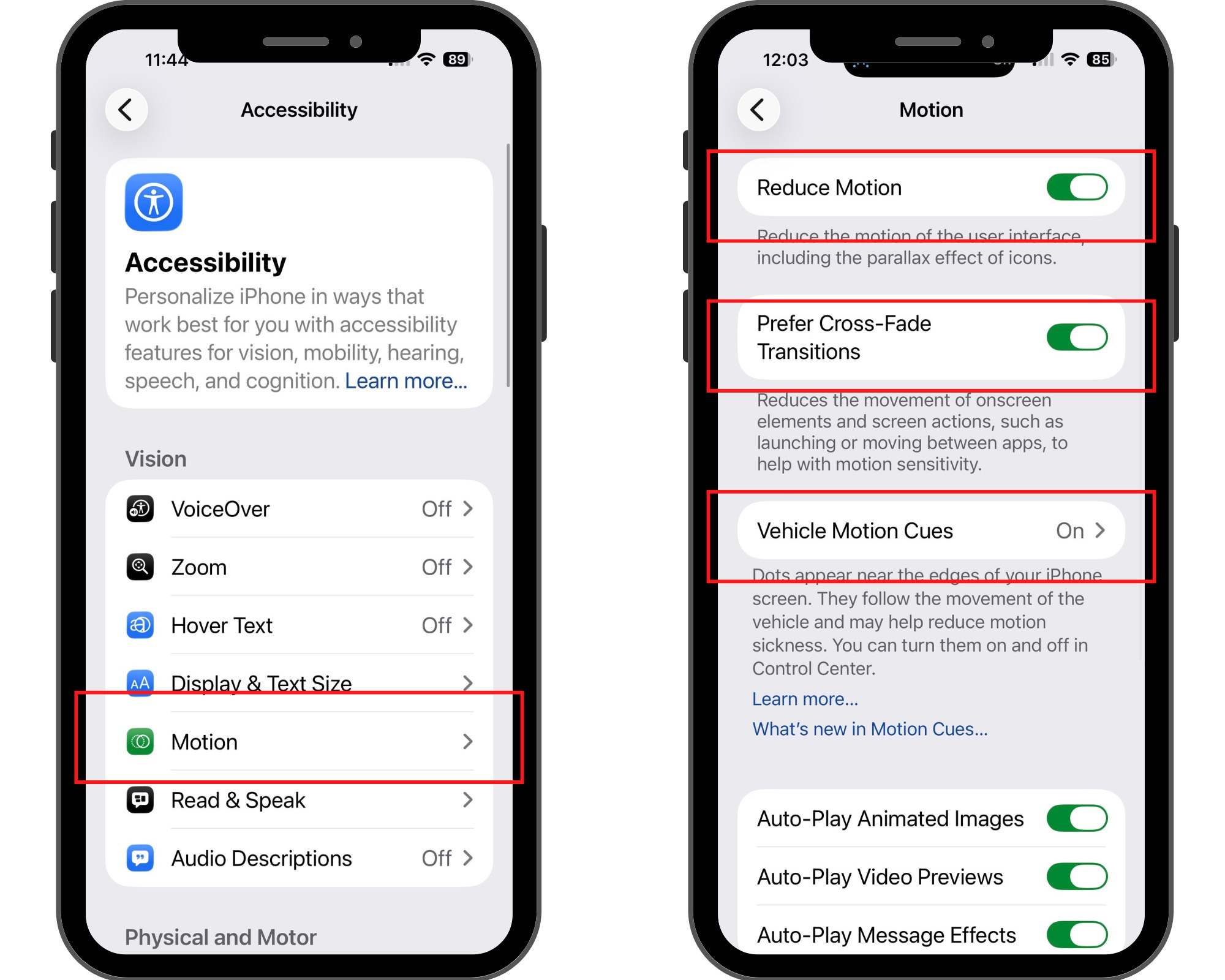
Here’s where to switch it on:
Settings → Accessibility → Motion → Vehicle Motion Cues → Automatic
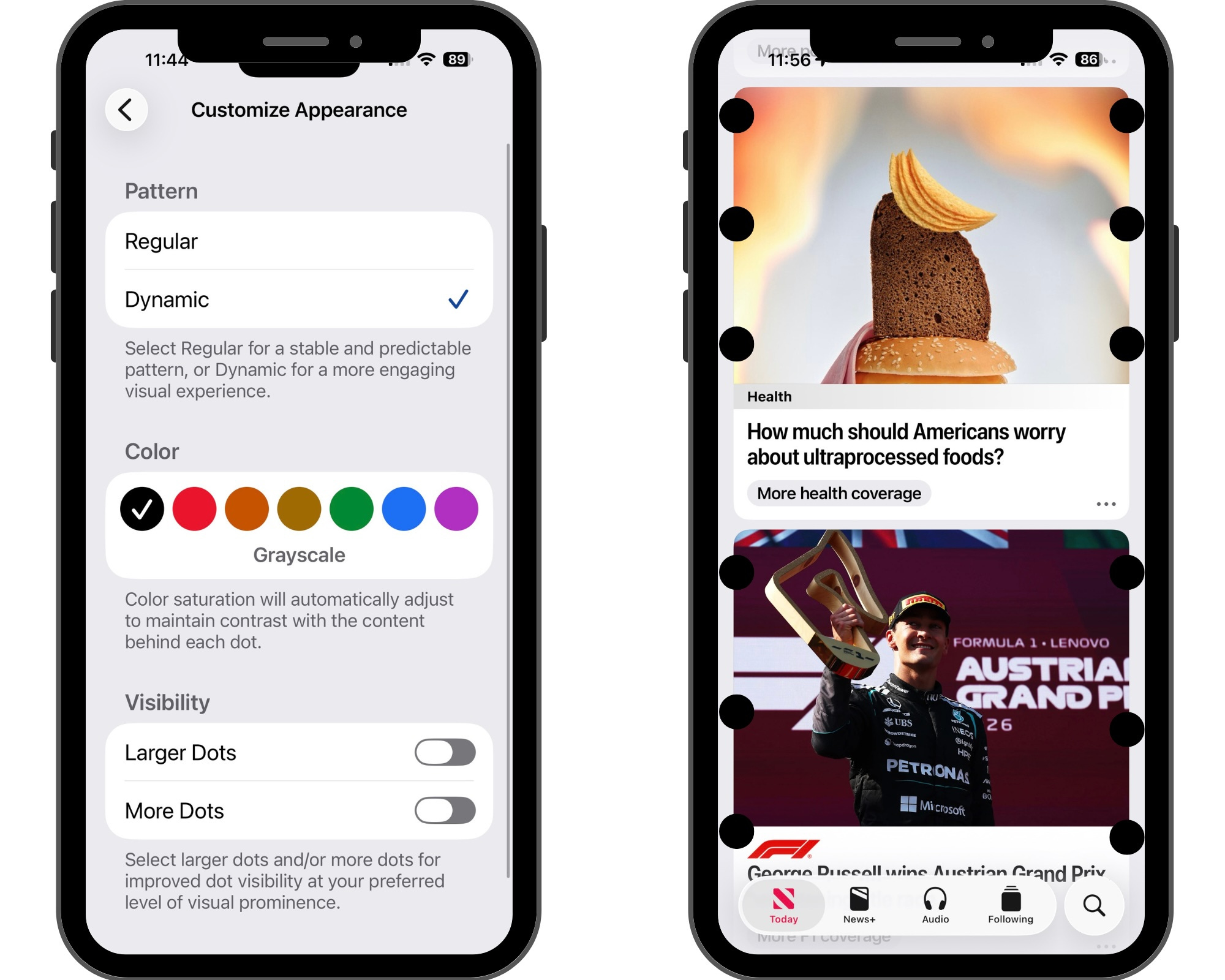
Once it’s on, a scatter of animated dots appears along the edges of your screen and drifts with the motion of the car — leaning when you turn, sliding when you brake. That’s the whole trick. Motion sickness kicks in when your eyes (locked on a still screen) and your inner ear (feeling every curve and bump) disagree about whether you’re moving. The dots close that gap, giving your eyes the movement your body already feels. Set to Automatic, it turns on by itself when your phone senses you’re in a moving vehicle, then disappears once you stop.
It works on iPad, too. And if you’d rather flip it on and off yourself, you can add a one-tap toggle to your Control Center.
On Android? There’s no built-in version yet. Google is reportedly building one — codenamed Motion Assist, likely arriving with Android 17 — but nothing’s official until it ships. In the meantime, a free app called KineStop does the same dots-on-the-edges trick as a screen overlay. It’s the closest Android equivalent, and it’s quietly been doing this since 2018, years before Apple’s version showed up.
One obvious rule: this is for passengers, not drivers. Never use it behind the wheel. But if your kid goes green five minutes into a trip and still won’t put the screen down, it’s absolutely worth a shot before the next “I think I’m gonna throw up” from the back seat.
Got a question or a tip? Be sure to reach out!